Test Workflow
Before deploying your workflow, thorough testing ensures reliable operation and prevents issues in production.

- To test your workflow, click the ▶️ icon.
This will execute your workflow using the current configuration. After the test run, you can view detailed results, including errors in Run logs option. The Run logs provide a detailed record of each test execution, helping you debug and verify your workflow before publishing.
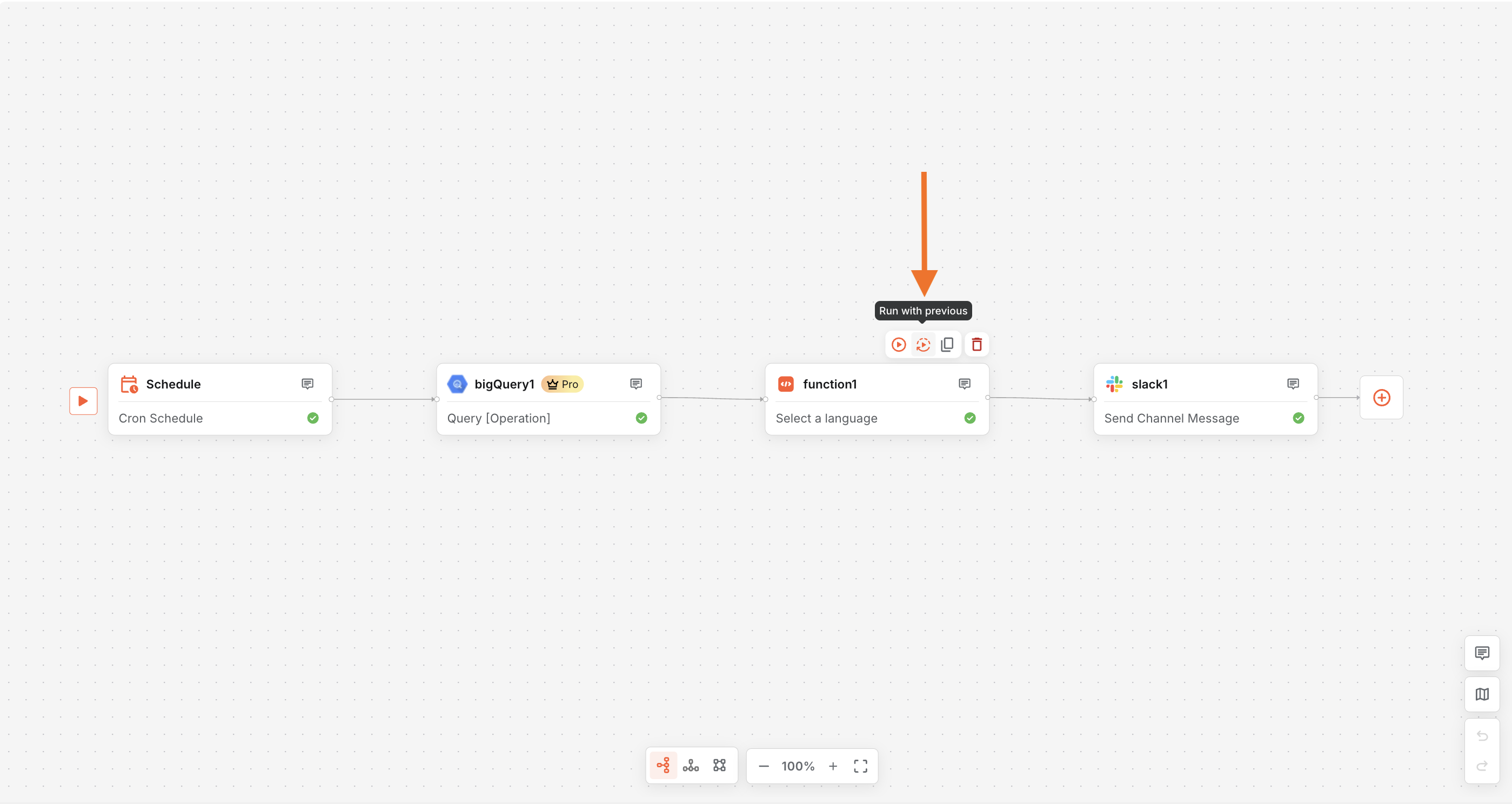
Run with Previous
Re-run workflow nodes without starting over
Run with Previous allows you to execute individual nodes using data from past workflow runs, so you can debug, test, and recover without re-running the entire workflow.
What You Can Do
- Re-run specific nodes with previously used inputs and outputs
- Access historical execution data for consistent testing
- Validate changes without triggering full workflows
- Debug by running only the affected nodes
- Resume workflows from points of failure
How to Use
- Open a previous workflow execution
- Select the node you want to re-run
- Choose Run with Previous
- Execute the node using past data