Import & Export Gateway Specifications
Fynd Boltic Gateway allows you to export and import gateway configurations using API specification files. This helps you reuse gateway definitions, share API contracts, and migrate gateways across Fynd Boltic accounts.
You can work with two types of specifications:
- OpenAPI Spec – For sharing and using API contracts outside Fynd Boltic
- Fynd Boltic Spec – For moving or cloning gateways between Fynd Boltic accounts
Export Gateway Specification
You can export a gateway as either an OpenAPI spec or a Fynd Boltic spec.
Steps to Export a Gateway
-
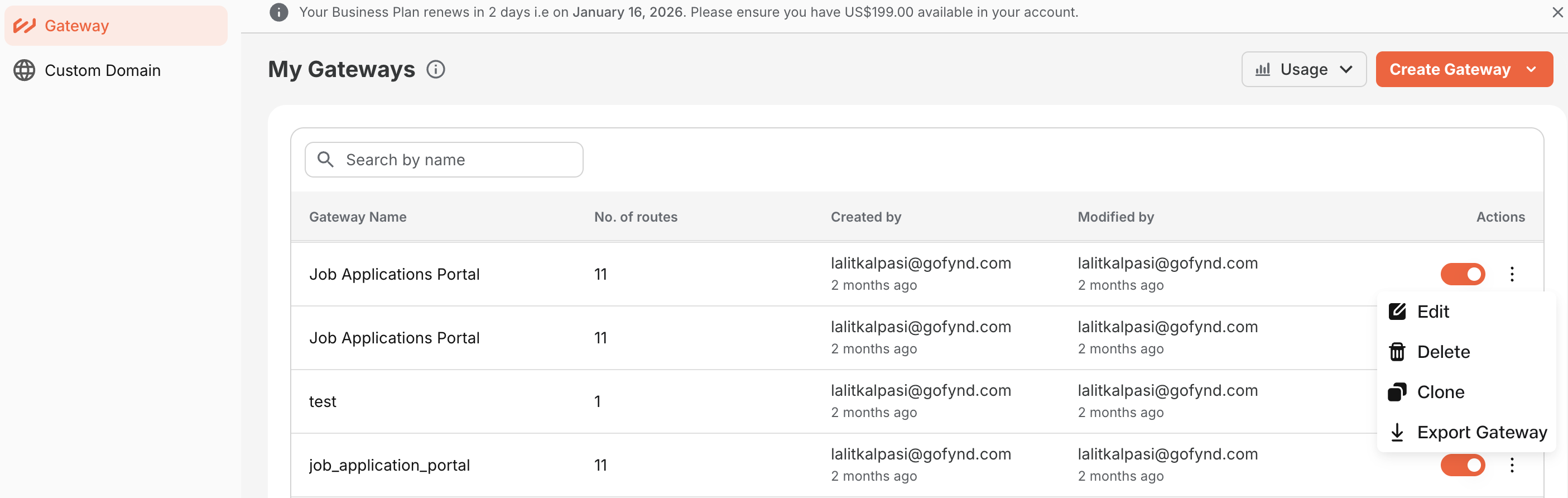
Go to Gateway → My Gateways
-
Locate the gateway you want to export
-
Click the three-dot menu (⋮) in the Actions column
-
Select Export Gateway
-
In the export dialog:
- Choose API specification type
- Fynd Boltic
- Open API
- Choose Format
- JSON
- YAML
- If Open API is selected, choose the Version
- 3.1.0
- 3.0.0
- Choose API specification type
-
Click Export Gateway
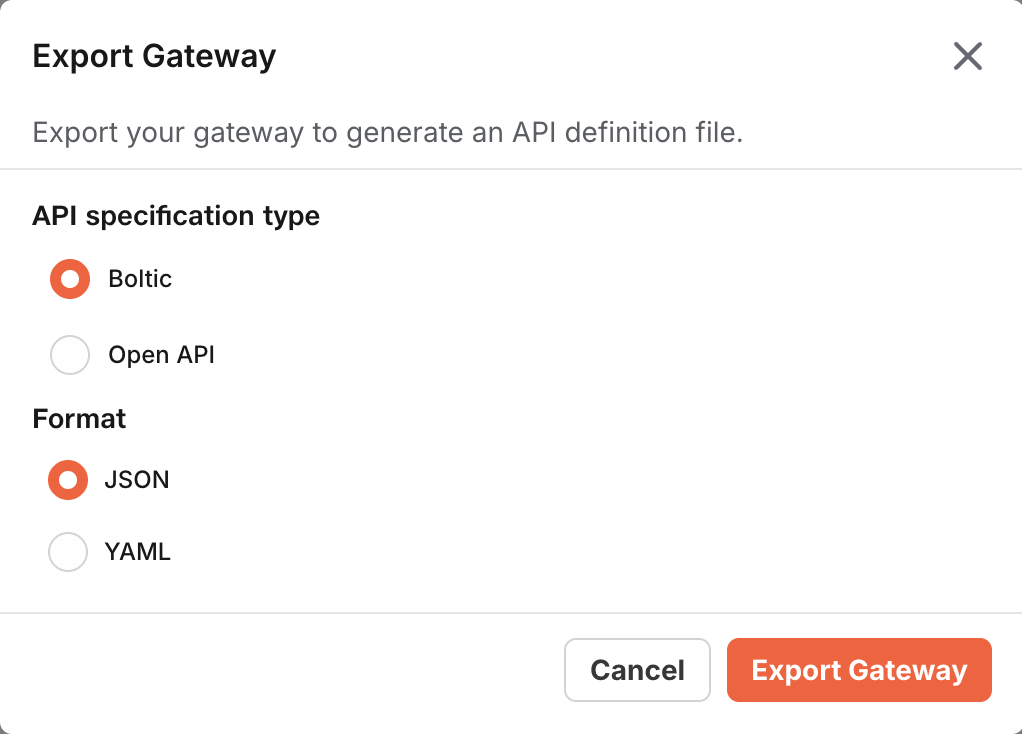
The specification file will be downloaded to your system.
When to Choose Which Spec
| Spec Type | Use When | What It Exports |
|---|---|---|
| OpenAPI Spec | You want to share API contracts externally, use Swagger/OpenAPI tools, or generate clients and documentation | Only the API definition (paths, methods, schemas) |
| Fynd Boltic Spec | You want to move a gateway to another Fynd Boltic account, clone an existing gateway, or reuse the same gateway setup without reconfiguration | Full gateway configuration in Fynd Boltic-specific format |
Import Gateway Specification
You can create a new gateway by importing an existing specification file.
Steps to Import a Gateway
-
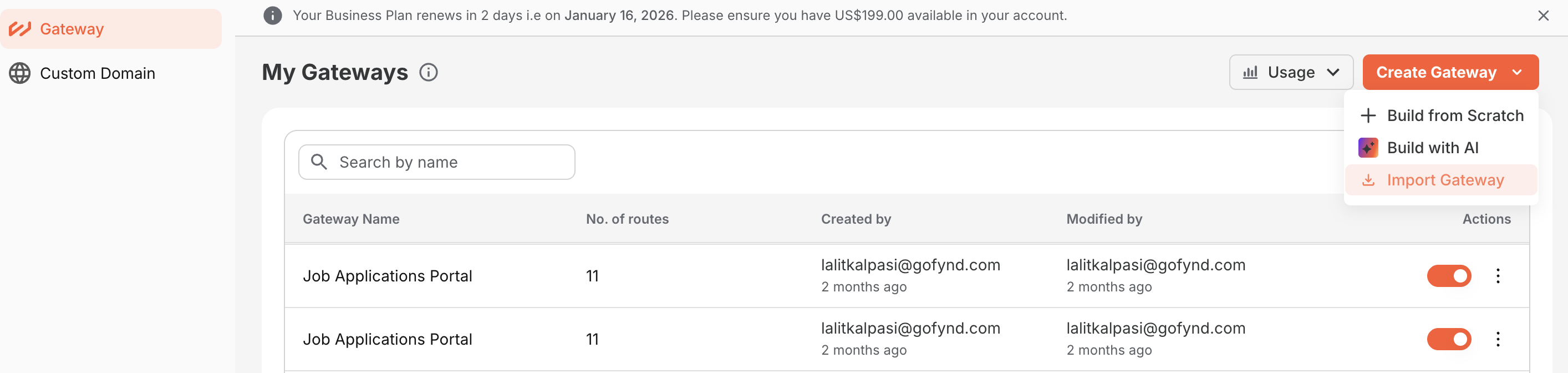
Go to Gateway
-
Click Create Gateway
-
Select Import Gateway
-
In the import dialog:
- Click Select API definition file OR
- Paste the specification content directly into the editor
-
Click Import
Fynd Boltic will validate the file and create a new gateway based on the specification.
Import Behavior
| Import Type | Behavior |
|---|---|
| OpenAPI Spec Import | Creates routes based on the API contract. Integrations and runtime behavior may need to be configured after import. |
| Fynd Boltic Spec Import | Recreates the gateway with routes and configurations. Ideal for copying gateways between Fynd Boltic accounts. Secrets or credentials may need to be re-entered for security reasons. |
Best Practices
- Use Fynd Boltic Spec when migrating gateways between environments or accounts to preserve all configurations.
- Use OpenAPI Spec when collaborating with external teams or using third-party API tooling.
- Always review imported gateways before deploying to production to ensure all integrations and credentials are properly configured.
- Keep exported specifications in version control to track changes and enable rollback if needed.
With Import & Export capabilities, Fynd Boltic Gateway makes it easy to share, migrate, and reuse your API configurations—enabling faster deployments and seamless collaboration across teams and accounts.