Google Service Account
This guide will help you create a Google Service Account, generate a Service Account ID, and download a private key for secure access.
1️⃣ Create a Google Service Account
Follow these steps to create a service account:
-
Go to the Google Console API and sign in to your Google Account.
-
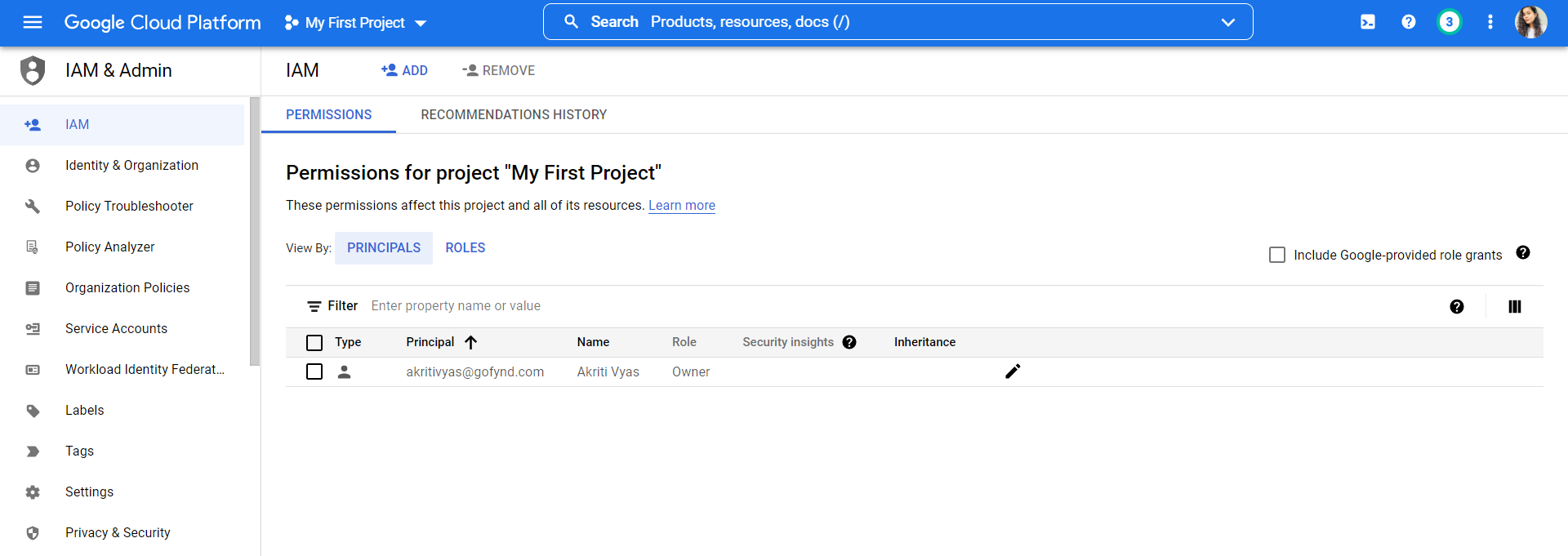
In the left-hand navigation menu, select IAM & Admin.
-
Click on Service Accounts.
-
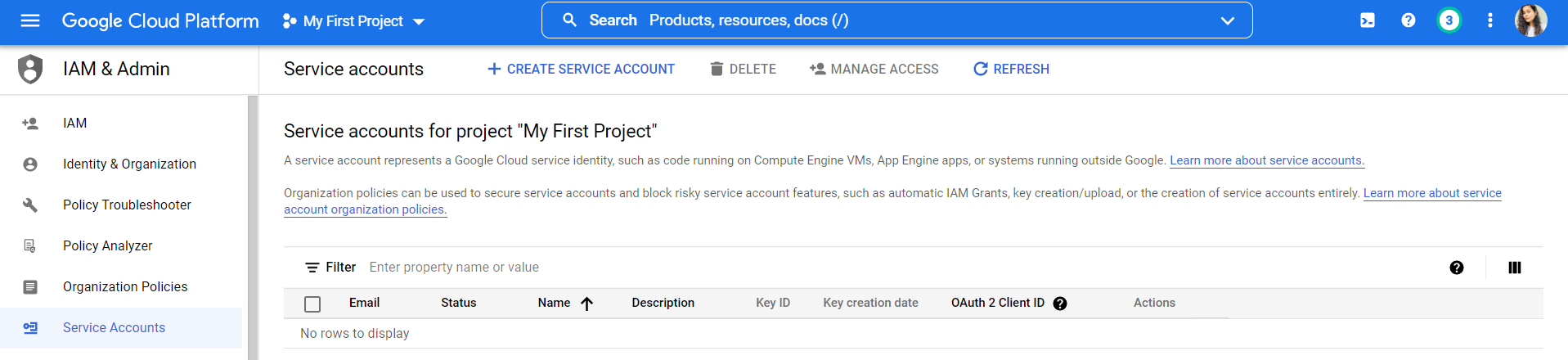
Click the +Create Service Account button.
-
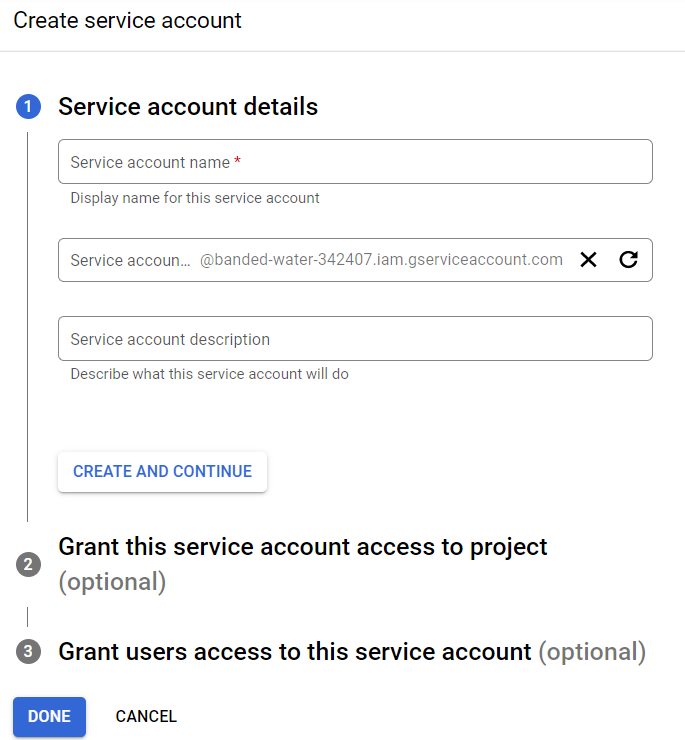
Enter a Service Account Name and Description, then click Create and Continue.
-
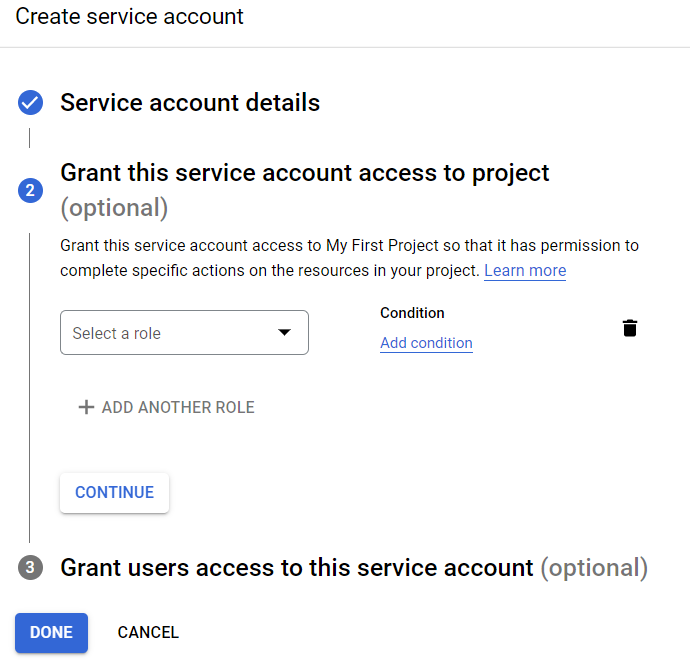
Choose a Role by clicking the Select a Role dropdown. For example, to connect BigQuery, select BigQuery Admin.
-
If needed, click +Add Another Role to assign multiple roles.
-
Click Continue, then click Done.
2️⃣ Enabling API Access for the Service Account
To allow your service account to access specific Google APIs, you'll need to enable them:
-
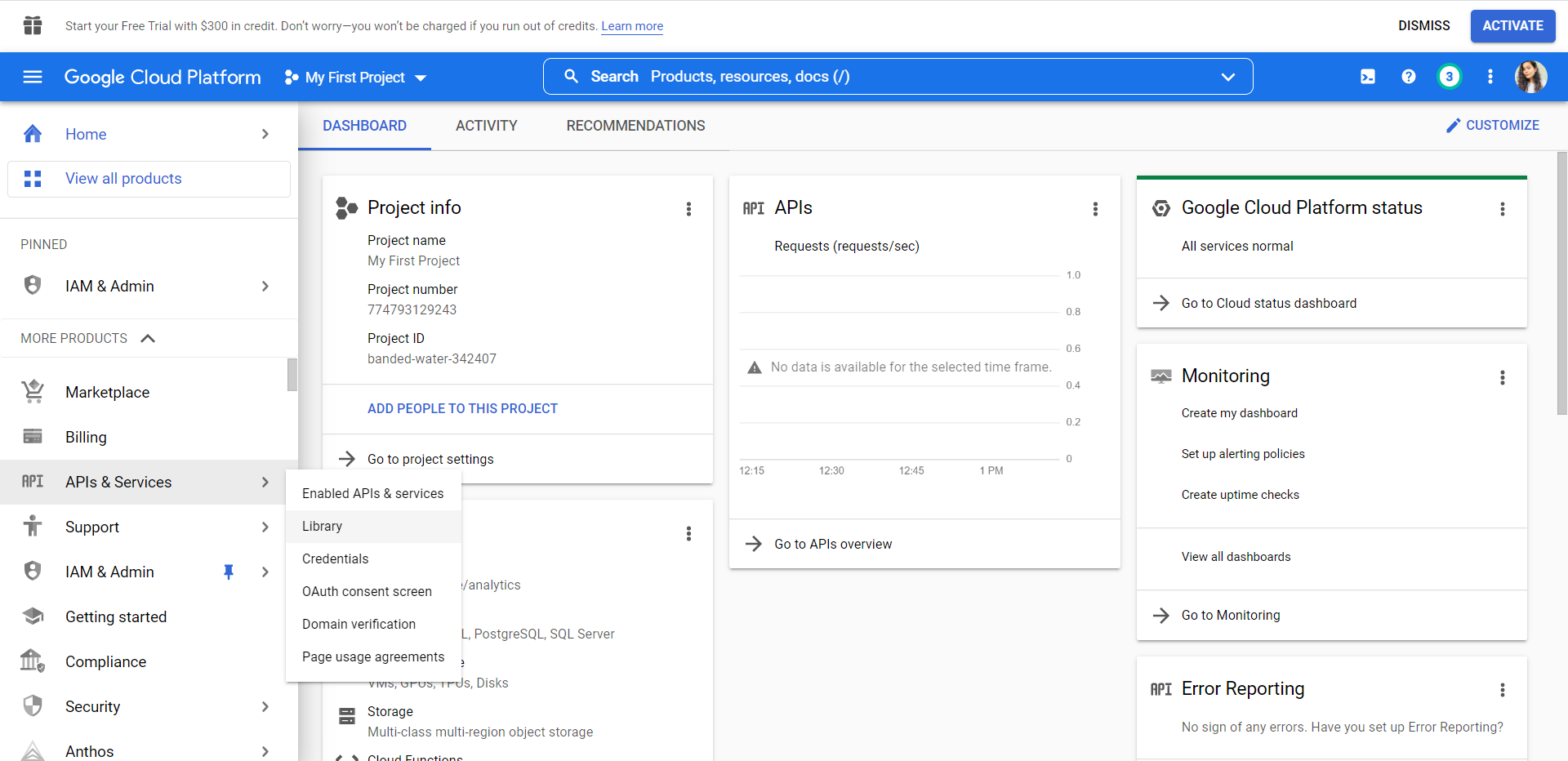
In the Google Console, go to APIs & Services and then Library.
-
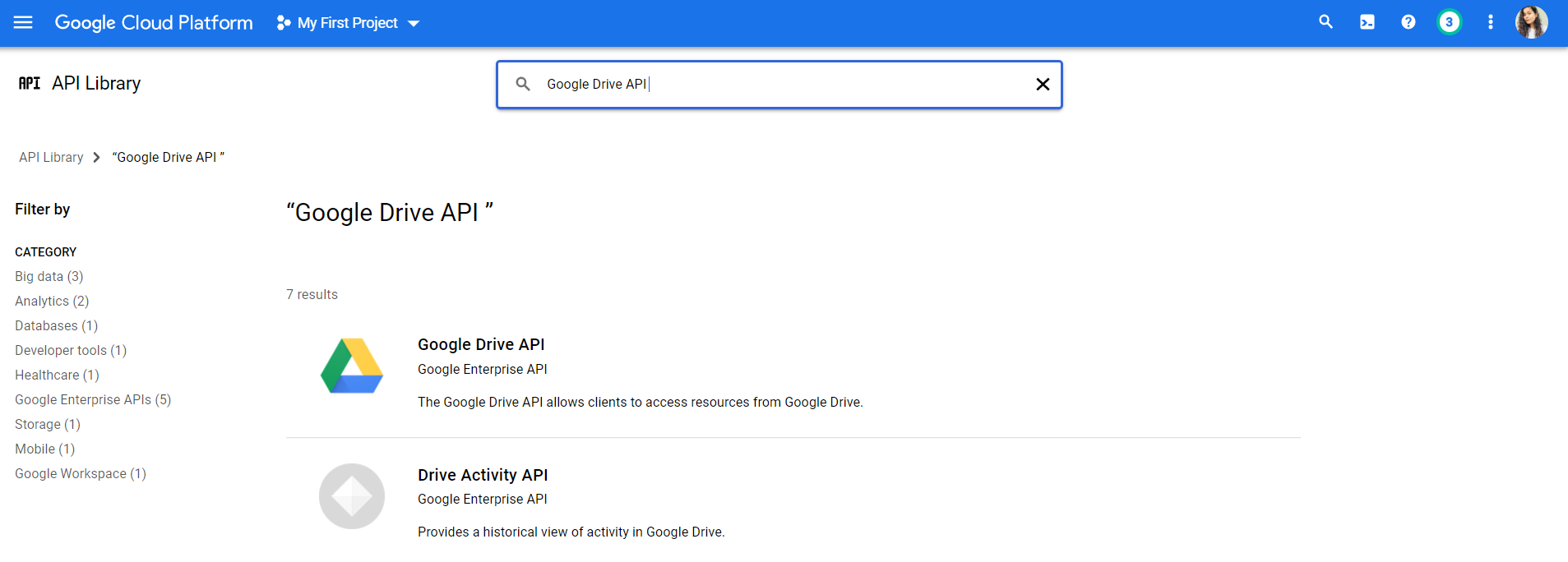
Use the search box to find the Google Drive API (or another API you need).
-
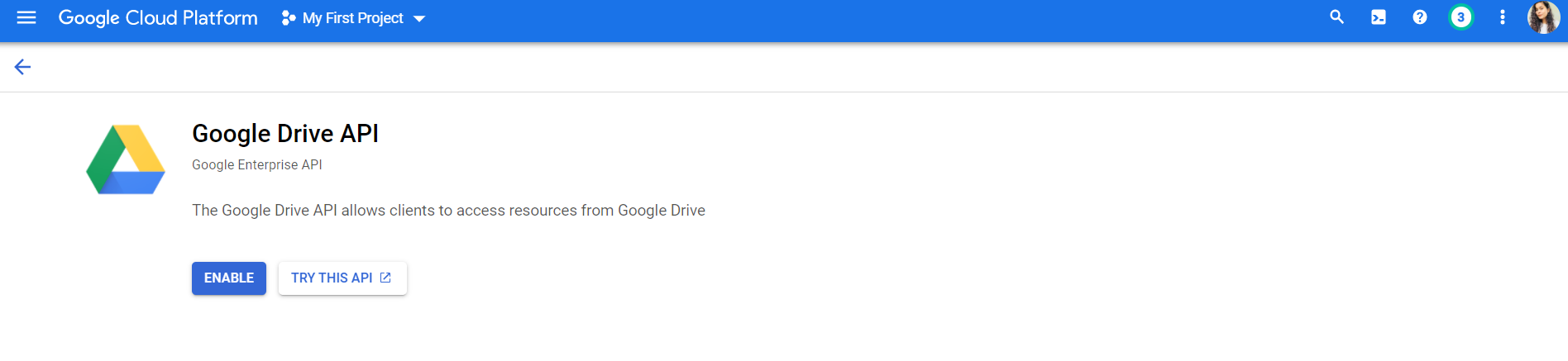
Click the Enable button.
3️⃣ Downloading the Private Key
Once your service account is set up, you'll need to download its private key:
-
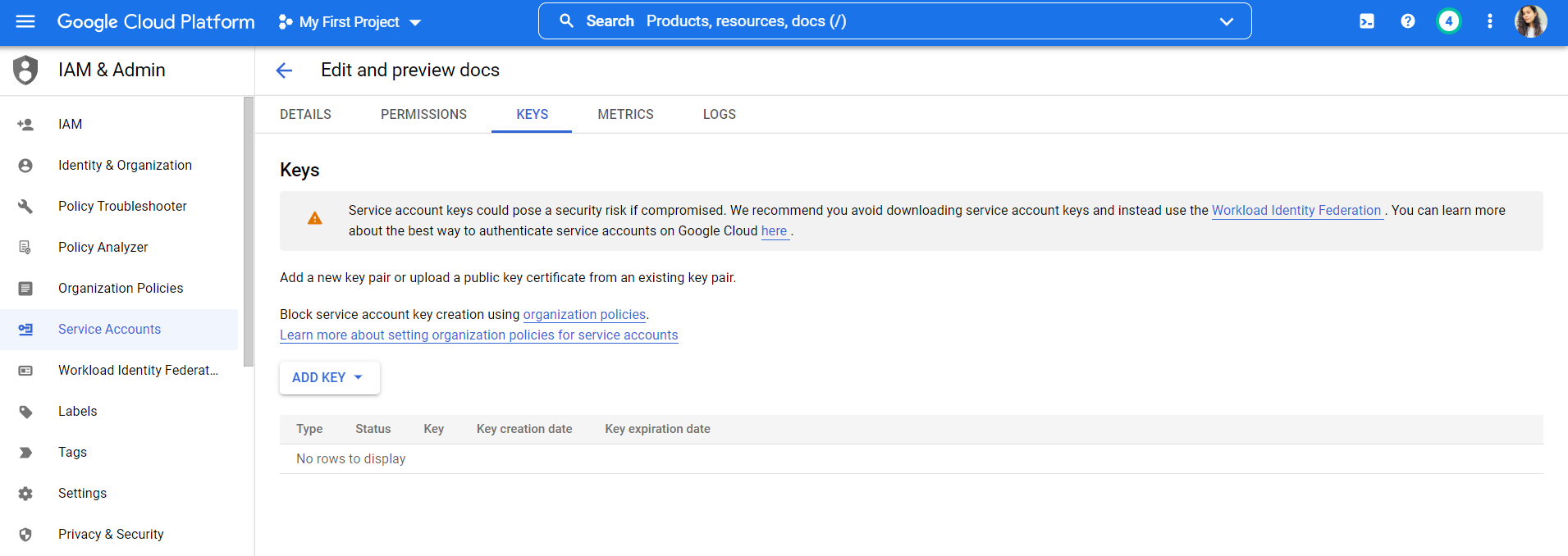
In the IAM & Admin section, click on Service Accounts.
-
Select the newly created service account.
-
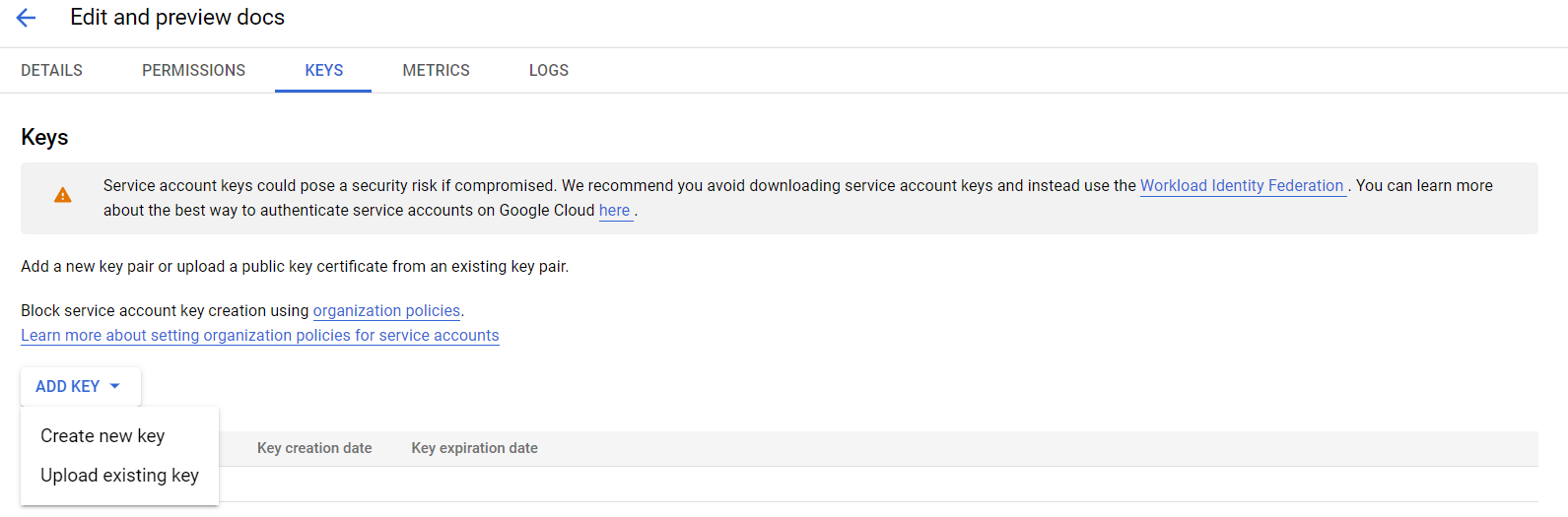
Click the Add Key dropdown and select Create New Key.
-
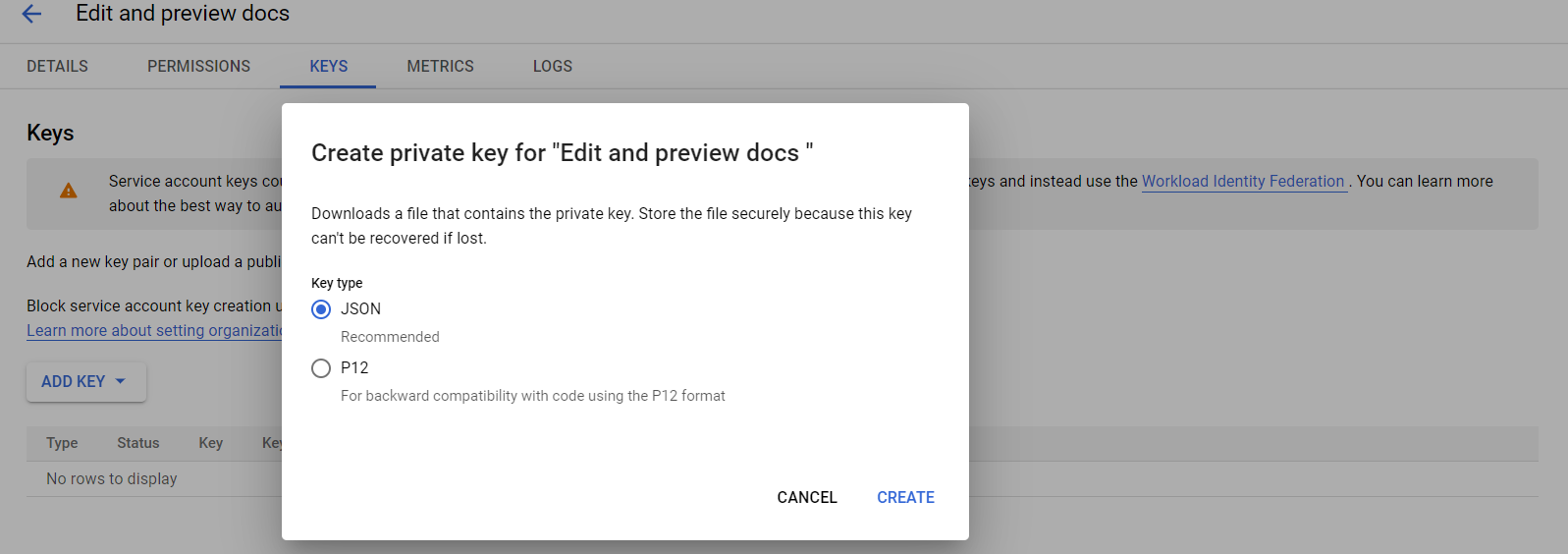
Choose Key Type as JSON, then click Create.
-
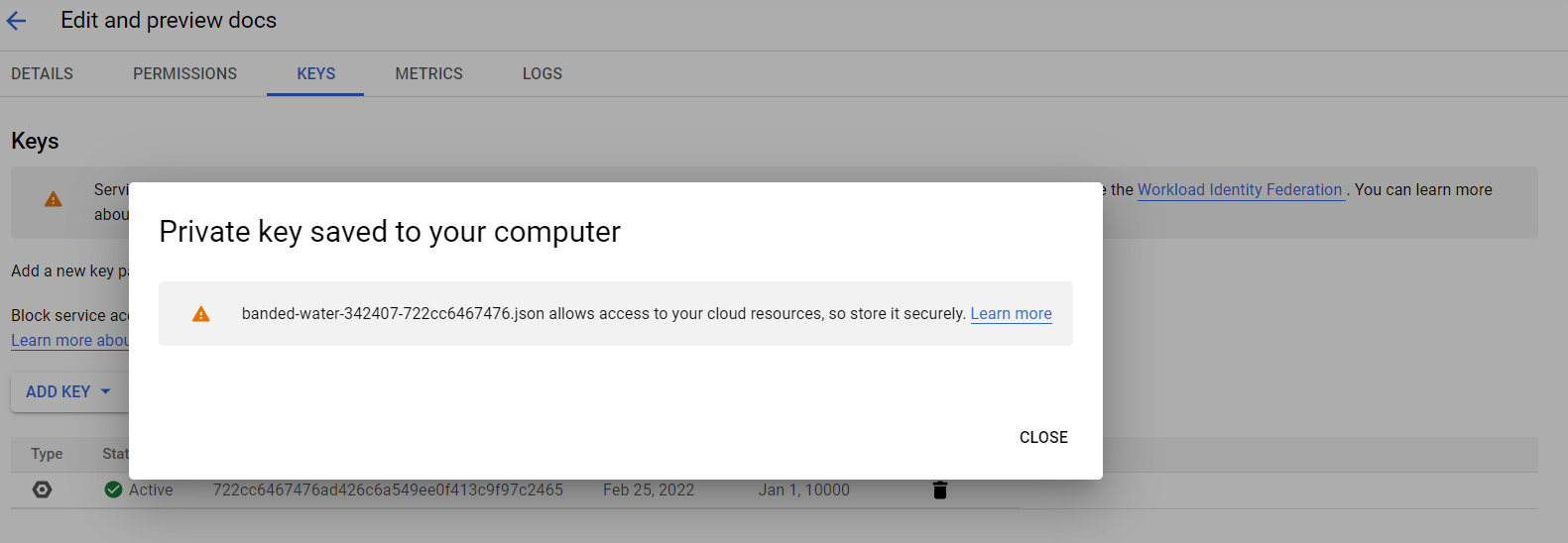
Save the JSON key file in a secure location for future use.
🤓 Have Questions?
We're always here to help! Feel free to reach out to us via email at 📧 Fynd Boltic Support.