MYSQL
Fynd Boltic supports Integration with SQL databases like MYSQL It fetches data from your MYSQL data source and allows you to create a Pipe that contains a sequence of actions such as source integration, choosing databases and destination integration. In addition to this, you can schedule a pipe at a fixed interval or date and time.
Getting Started
Requirements
To integrate MySQL as a source, you'll need:
-
MySQL User Access
- A MySQL user with
readaccess to both:- The
targetdatabase - The
localdatabase
- The
- A MySQL user with
-
SSH Details
- SSH access details (if using an SSH tunnel server)
- A private key for secure connections
-
IP Whitelisting
- Visit our IP Whitelisting Guide for whitelisting IPs and CIDR ranges to ensure secure access to your database or service.
-
MySQL Configuration
- To ensure smooth and efficient operation of Change Data Capture (CDC) in MySQL, it's crucial to follow the recommended configuration steps. For a detailed guide, refer to the MySQL Configuration documentation.
Setup Guide to Integrate MYSQL With Fynd Boltic
This guide will give you a brief idea of what steps you need to follow to integrate MYSQL into Fynd Boltic.
-
Integration Name: Enter a unique name for this integration.

-
Host Details:
Parameter Description Host name IP address of the MySQL server. Port Number Enter MySQL port number (default is 3306). Database Name Name of the database to connect to (required). 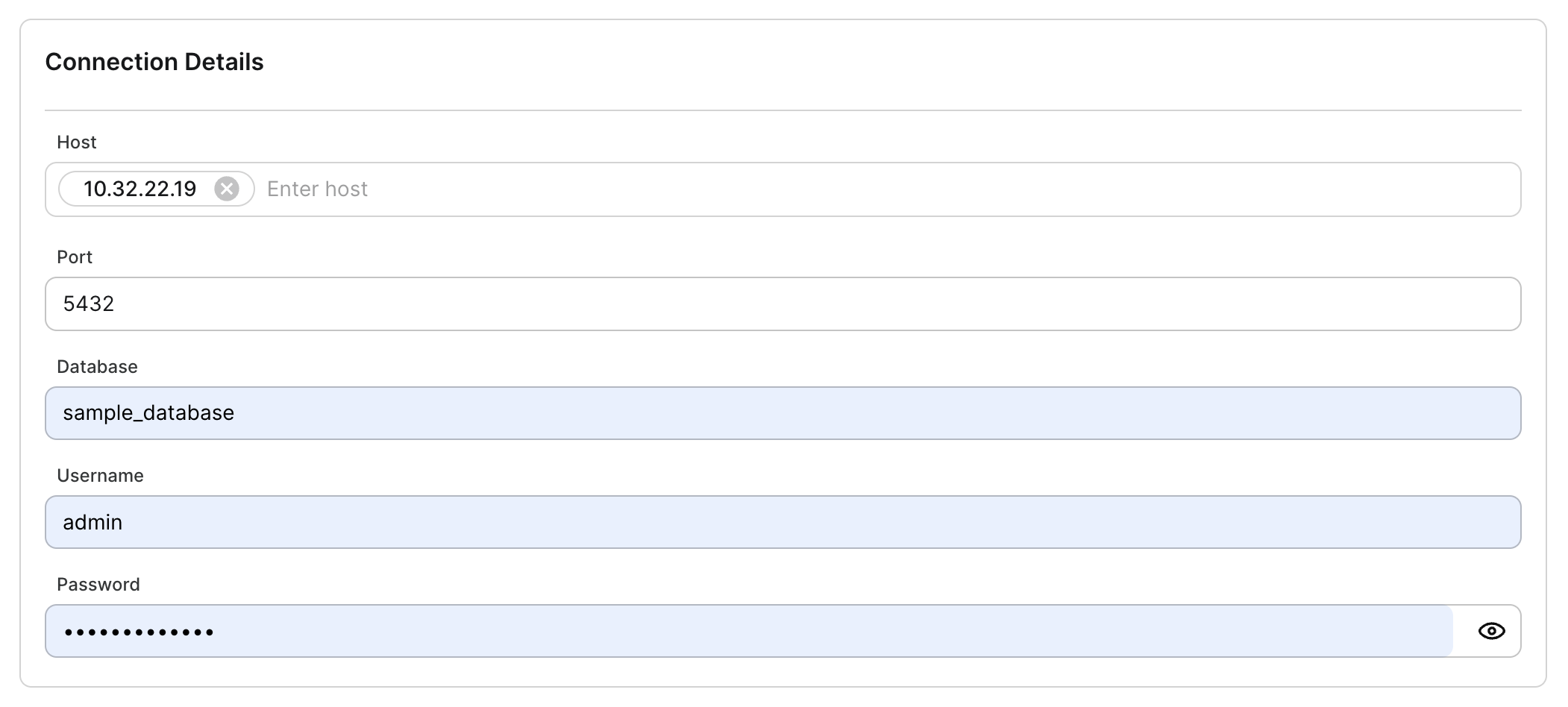
Authentication
To validate the identity of database users and ensure high-level security, authentication can be done using the following methods:
-
Username and Password (Required)
-
SSH Authentication (If needed):
-
SSH Host
-
SSH Port
-
SSH Username
-
SSH Authentication Method (supports private key and password). For more details, refer to SSH Authentication.
Both Basic Authentication (username and password) and SSH Authentication can be used independently or together.
Additional Info
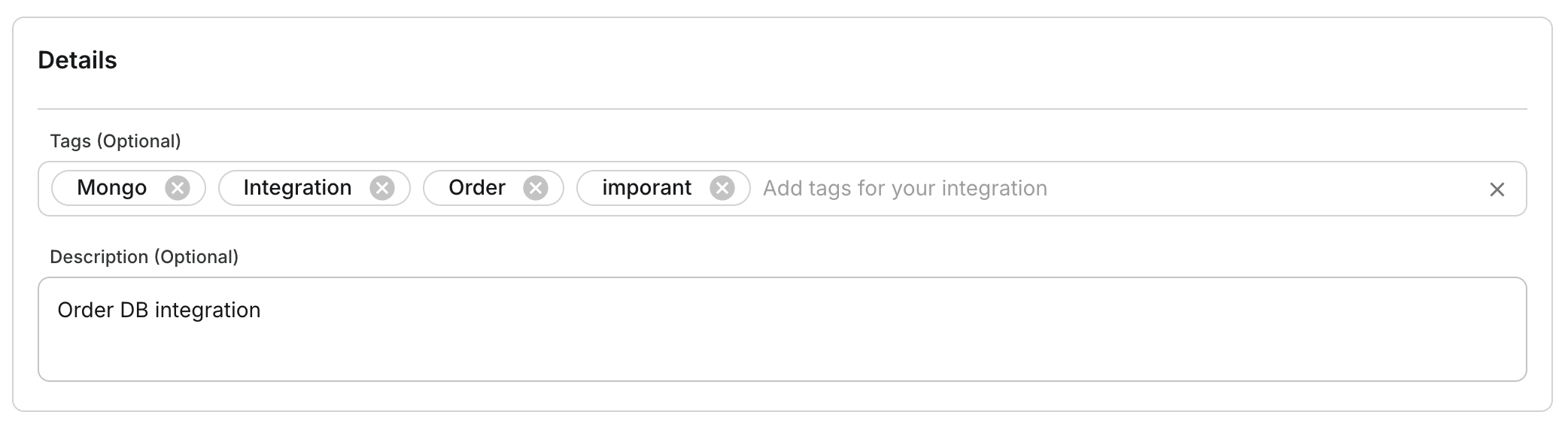
Provide metadata to enhance data management:
| Field | Details |
|---|---|
| Tags | Use tags for easy data discovery for you and your team. |
| Description | Provide a detailed and meaningful description of your database. |
Test & Save
Click on Test & Save to validate your data source configuration and confirm that the connection is successfully established.

Congratulations! You have successfully integrated PostgreSQL with Fynd Boltic.
🤓 Have Questions?
We're here to help! Feel free to reach out via email at 📧 Fynd Boltic Support.